
Step 1: Log in to Cpanel
Go to yourdomain.com/cpanel or use login to cpanel button from your yegara host dashboard
Step 2: Create MYSQL database
- In Cpanel dashboard scroll to database section
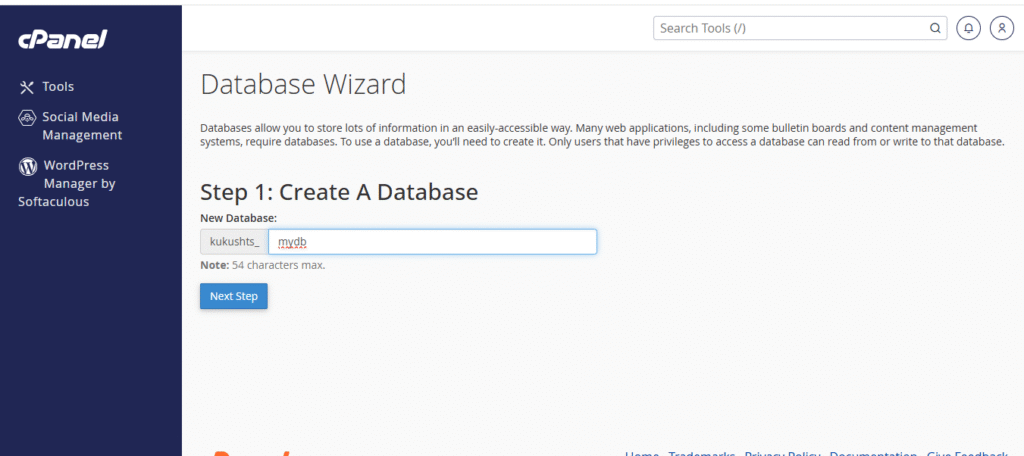
- Click “database wizard”
- Under create new database
- Enter a name (e.g,mydb)and click “next step”
Step 3: Create database user
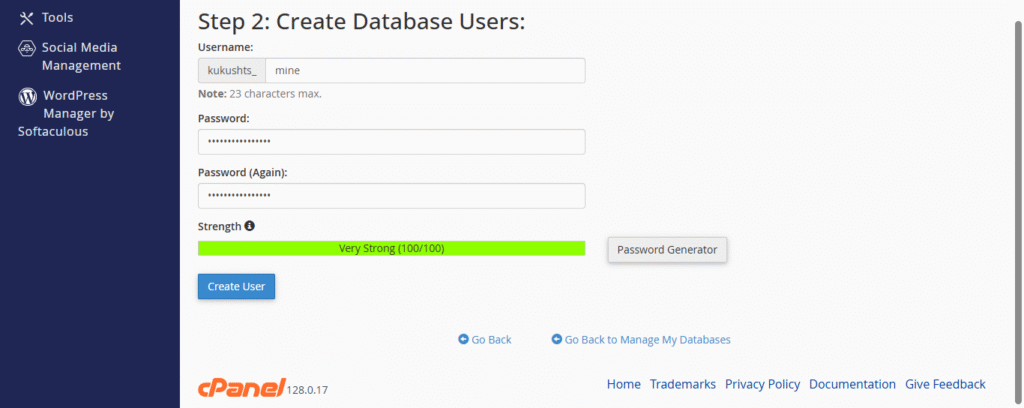
- Add a username and password
- Click on “create user”
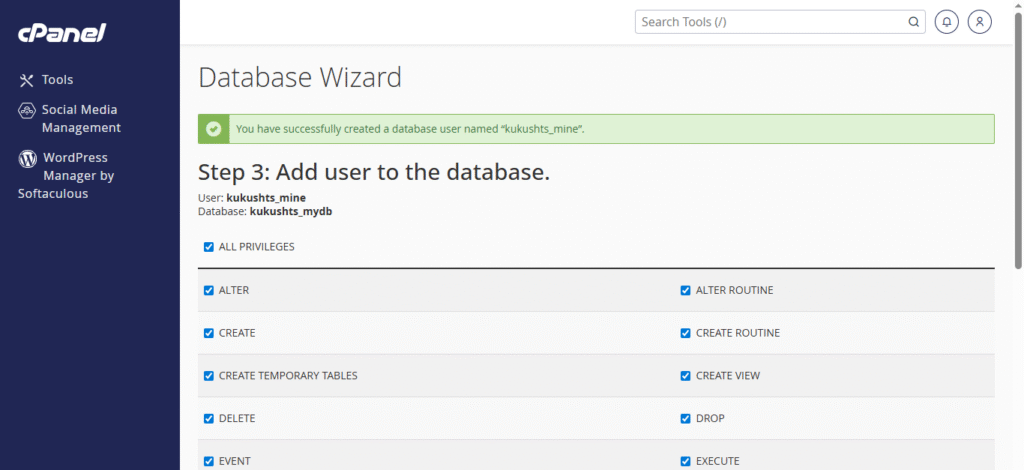
Step 4: Add user to the database
Select all privileges and on click “make change”
Step 5: Import your database file
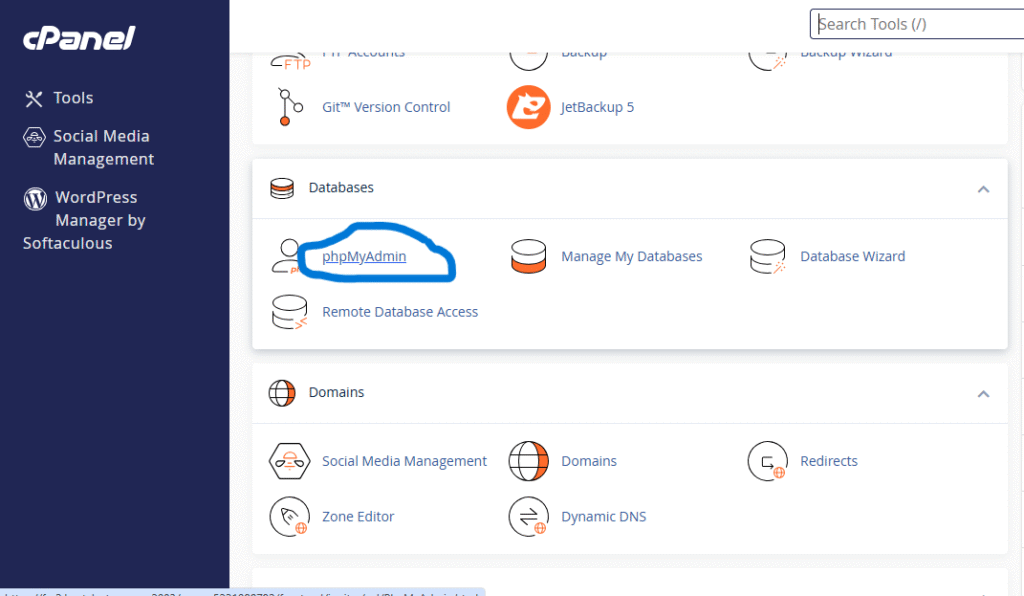
- Go back to the Cpanel dashboard
- Under database,click” phpmyadmin”.
- In the left sidebar,click on the name of your new database
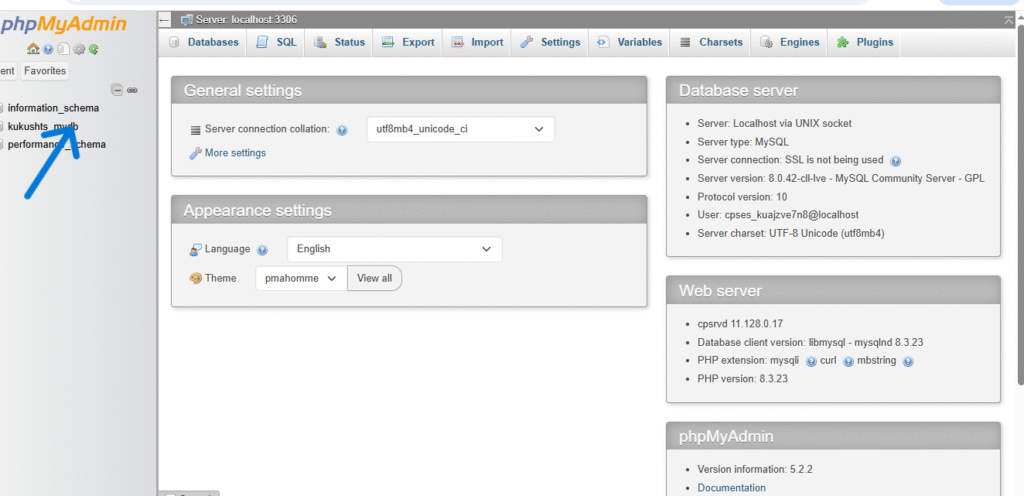
- Click the “import” tab
- Click “choose file” and select your .sql file
- Scroll down and click” import”
DONE!
You are now
- Created a database and user
- Given proper access
- Imported your sql file successfully