
As wordpress is one of the most popular content managment system in the world,there are many ways of getting this error and don’t panic it is completely easy to fix if you read this article and follow the steps.
wordpress is an open source cms platform where anybody interested person can contribute to the development of the environment and it is highly dependant on plugins and themes.
you are getting this error because of two possible ways
1.incompatible plugin and a theme
2.using nulled plugins and themes
the first one is caused if you update a plugin or a theme to its latest version causing js conflicts leading to your main problem or if you install incompatible plugins and themes…..we recommend you to visit official websites of the plugins or themes before you try to install them in your wp site you will get your information there
this can be solved by:-
1,by rollbacking your update to its previous one or take a full backup of your wp data before starting your update…you can use wp vivid plugin for that available in plugin marketplace in wordpress dashboard
2,uninstall a recently installed themes or plugin before the problem happend so that you can identify which one is causing the issue
STOP USING NULLED PLUGINS
Nulled plugins or themes are plugins or themes which dont have a license or lets say a cracked version of the original plugin or themes.Mostly this plugins are paid or has a pro version of the trial version…..They are mostly considered as malicious content and legal and ethical risks causing licens and GPL as well as commercial risks.Hackers use them to inject malicious code or spam or take full controll of your website.
what will i do if this happens
1.uninstall the nulled plugin from your wp dashboard.if you are unable to access your dashboard you can delete it manually from your cpanel.To do this
1 Go to cpanel and select file manager
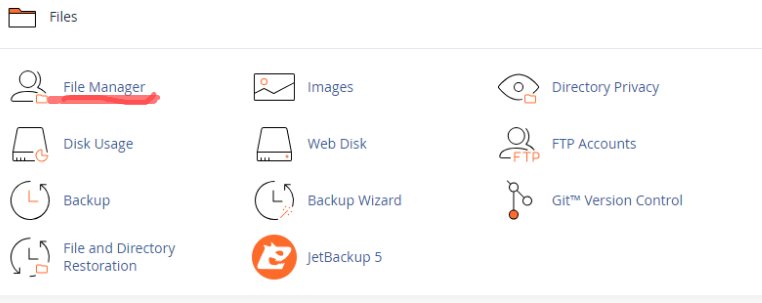
2 After clicking on it you will find an interface which looks like a typical file manager and then select public.html folder
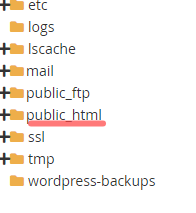
3 select plugins or themes after clicking public html folder
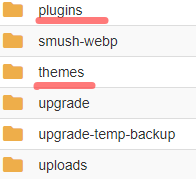
4 after selecting what you will be deleting which means a plugin or a theme,then you can delete them by right clicking and selecting delete option or you can use delete option on the top center of the file manager after selecting it