
An addon domain is a second domain, with its own website, on the same hosting account. A subdomain is an extra address on a domain you already have, such as blog.yourdomain.com. This guide covers which plans allow them and how to set one up.
On this page
What each plan allows
| Plan | Subdomains | Addon domains |
|---|---|---|
| Free .pro.et hosting | No | No |
| Standard (DirectAdmin) | No | No |
| Premium (cPanel) | Unlimited | Unlimited |
Subdomains and addon domains need Premium hosting. See Hosting Packages Compared: Standard vs Premium.
Add a subdomain or addon domain in cPanel
- Log in to cPanel and open Domains.
- Click Create A New Domain.
- Type the name. For a subdomain, type the full address, for example
blog.yourdomain.com. For an addon domain, type the new domain, for examplesecondsite.com. - Untick Share document root, so the new name gets its own folder and its own website.
- Click Submit.
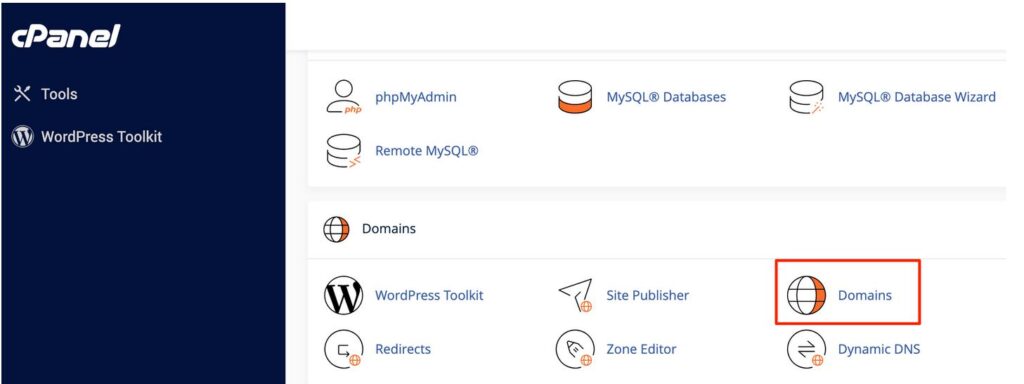
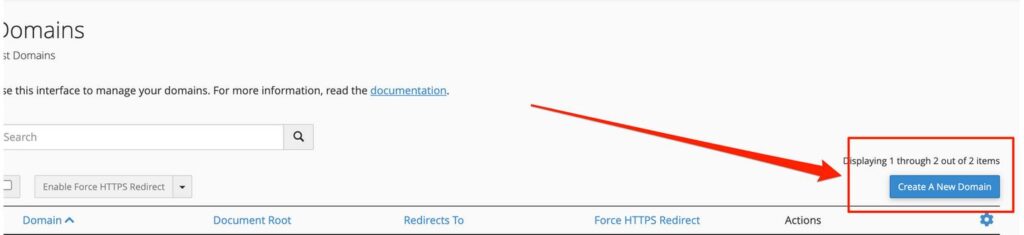
Screenshots of each step are in How to Create Subdomains and Addon Domains in cPanel.
📘 If you leave “Share document root” ticked
The new domain or subdomain shows the same website as your main domain. That is only useful when you want two names for one site.
Where the files go
cPanel creates a folder for the new name and shows its path in the Document Root column on the Domains page. Upload that site’s files into this folder, not into public_html. To install WordPress on it, choose the new domain or subdomain in Softaculous during the install.
Point an addon domain to your hosting
An addon domain must be a registered domain, and it must point to the same server as your hosting account. Set its nameservers to the ones in your welcome email. If it is registered with us, see How to Update Your Nameservers. If it is a .et domain, see How to Update Your .et Domain Nameservers at Ethio Telecom.
A subdomain of a domain that already uses your hosting needs no extra step: cPanel adds its DNS record for you.
If the new name does not open
- It is new. DNS changes take from 5 minutes up to 48 hours. See My New Domain Isn’t Working Yet.
- Your DNS is at Cloudflare. A subdomain created in cPanel does not appear in Cloudflare by itself. Sync it from your Yegara dashboard, or add the record in Cloudflare. See 1-Click Cloudflare.
- The folder is empty. Upload an index file to the document root of the new name.
- The browser says “Not secure”. The certificate is issued automatically once the name points to your hosting. To speed it up, see SSL and HTTPS.
Email on an addon domain
Once the addon domain is added, you can create mailboxes on it. In Email Accounts, click Create and choose the addon domain from the Domain list.
Replace the main domain instead
If you want to change the main domain of the hosting account, not add a second one, that is done by our team. Message us on Telegram with the current domain and the new one.
