
You do not need to upload WordPress by hand. Your control panel includes Softaculous, a one-click installer that sets up WordPress, its database and its admin account in about a minute. It works the same way in cPanel and in DirectAdmin.
Install WordPress
Step 1. Log in to your control panel, search for Softaculous or WordPress Manager and open it. Then click Install.
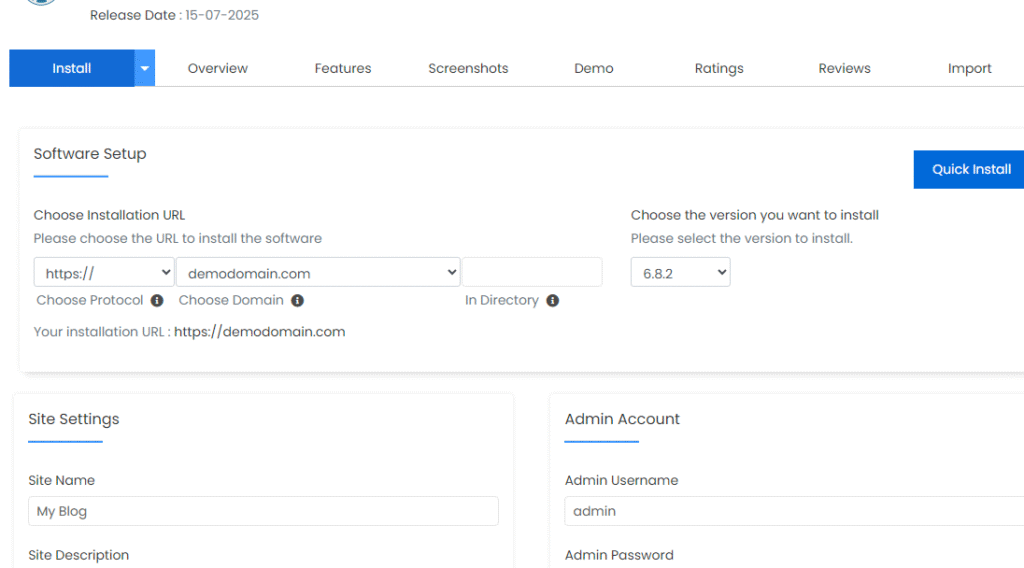
Step 2. Choose your domain. Leave the In Directory box empty, so that WordPress opens directly on your domain.
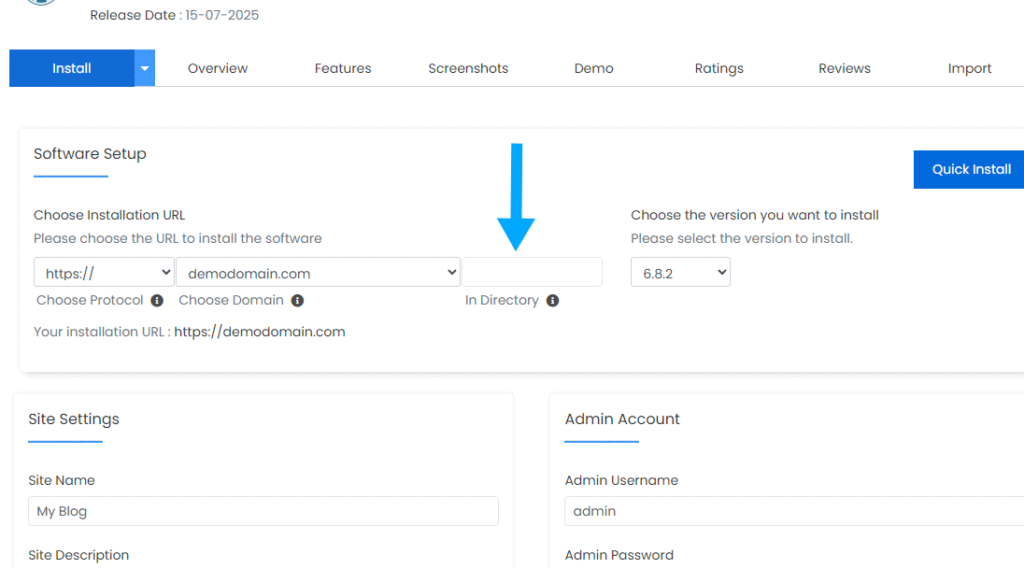
📘 Why the directory must be empty
If the box contains a word such as wp, your site opens at yourdomain.com/wp and your main address keeps showing the old page. If that already happened, see How to Remove “wp” from the End of Your WordPress Site Address.
Step 3. Enter the site name and description, then choose the admin username, password and email address. Write the username and password down: you need them to log in.
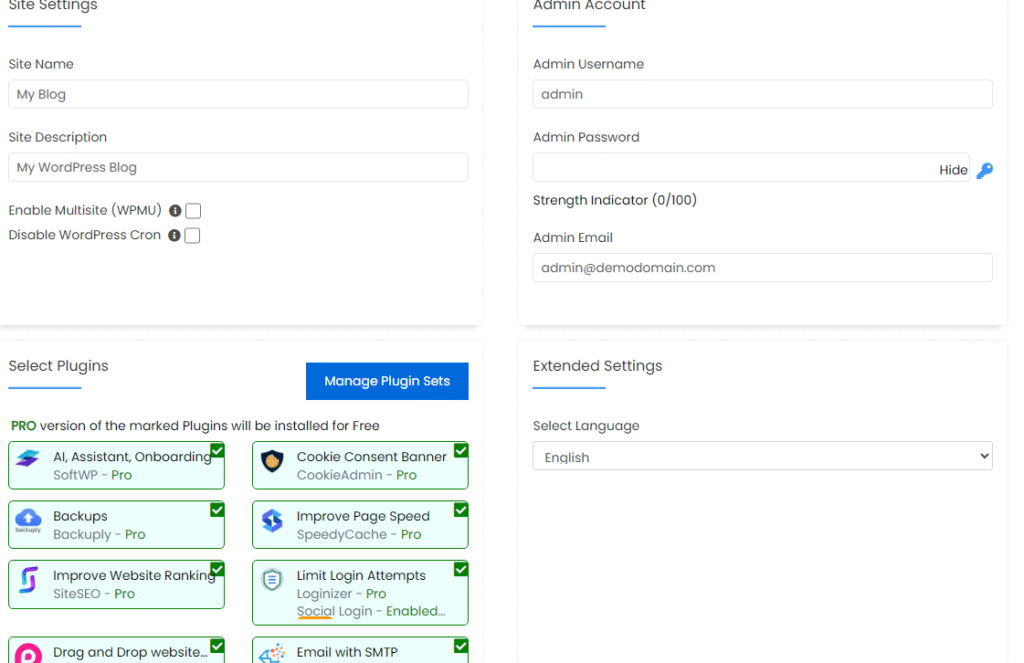
Step 4. Click Install. The installation takes about a minute.

Your site is now live on your domain. To manage it, open yourdomain.com/wp-admin and log in with the admin username and password you chose.
What to do next
- Make sure the padlock shows: SSL and HTTPS: Get Your Free Certificate and Fix “Not Secure”.
- Protect the site from the start: Secure Your WordPress Website: The Complete Guide.
- Forgot the admin password later? How to Log In to WordPress Using Softaculous.
