
After you place an order, you confirm the payment yourself. It takes about a minute, and you do not need to send a receipt photo in chat. Follow the five steps below.
On this page
📘 Use the same bank
Pay from the same bank as the account you choose: Telebirr to Telebirr, CBE to CBE. Transfers from other banks are not accepted for instant activation.
Step 1: Open your invoice link
Once you have ordered, you receive an SMS and an email from Yegara, sent to the phone number and email address you registered when ordering.
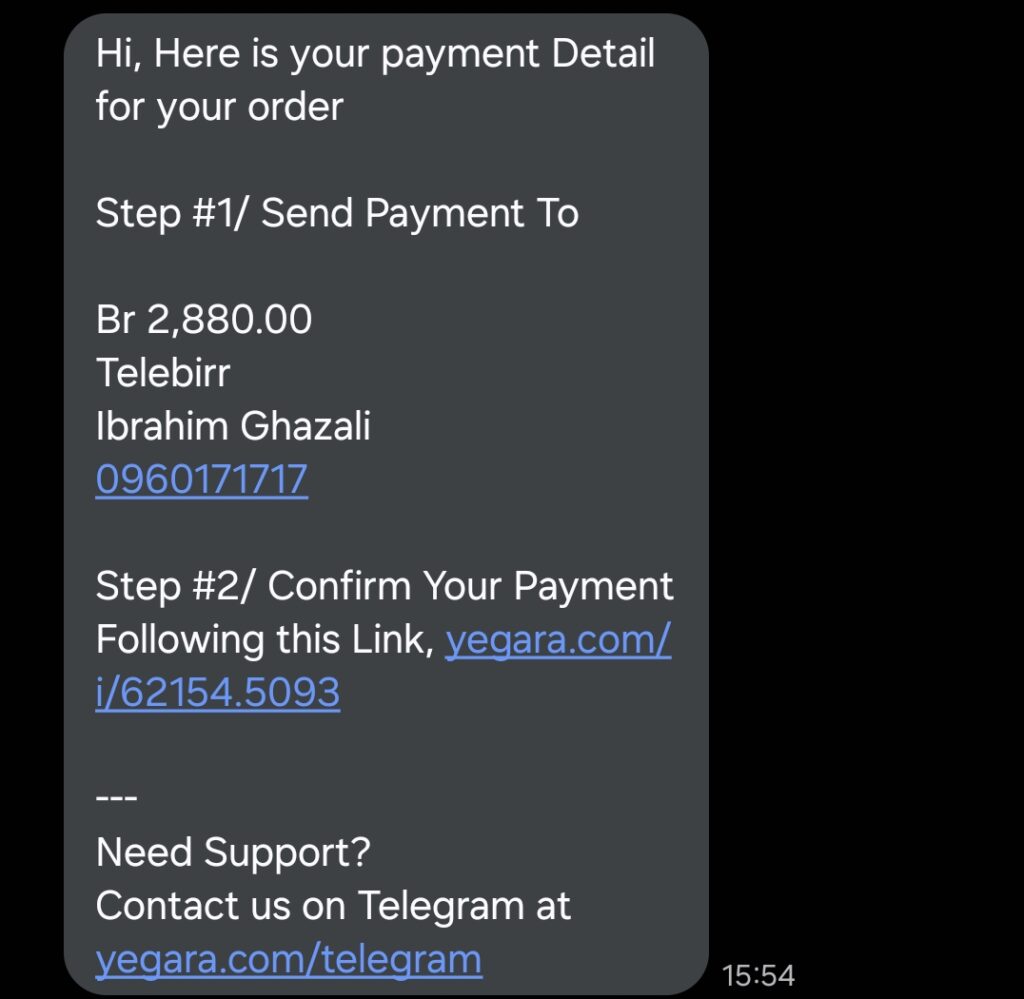
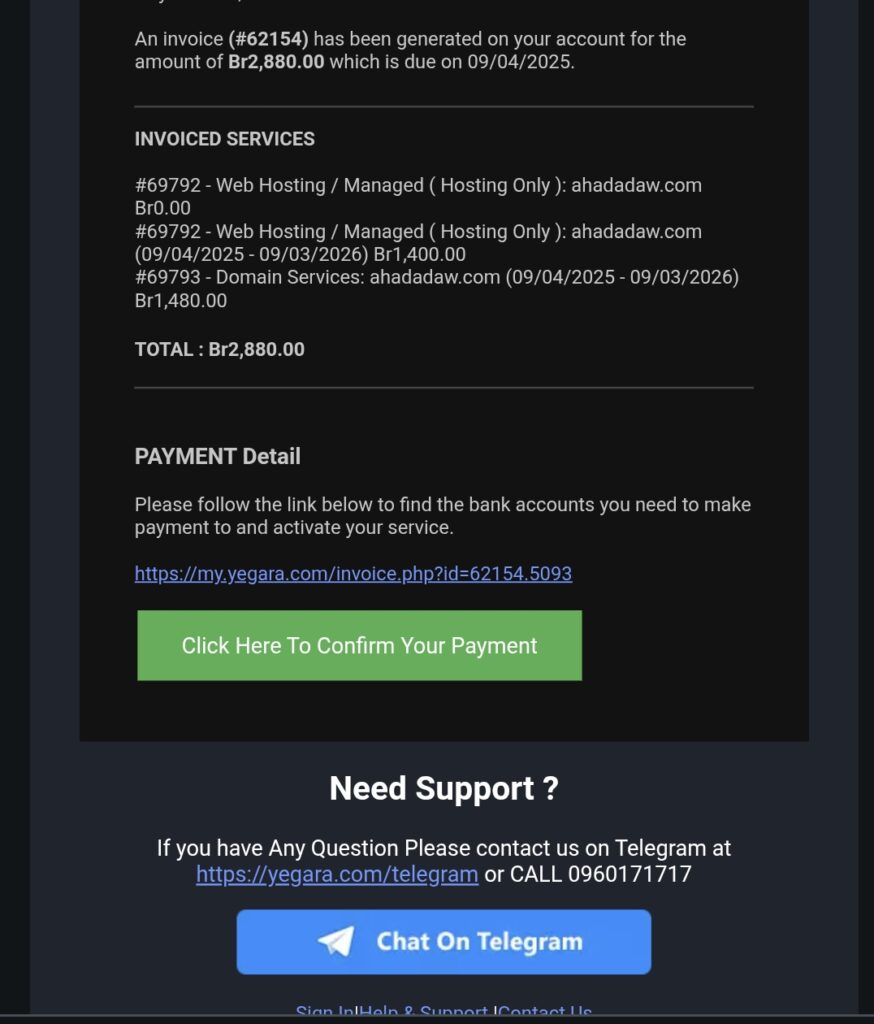
Click the link that says “Confirm Your Payment” in the SMS, or “Click Here To Confirm Your Payment” in the email. Your invoice page opens.
Step 2: Choose how you will pay
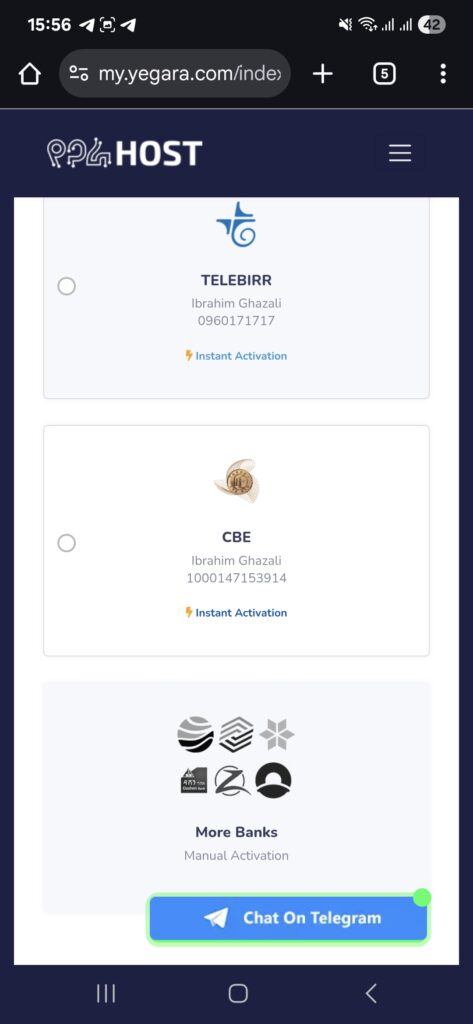
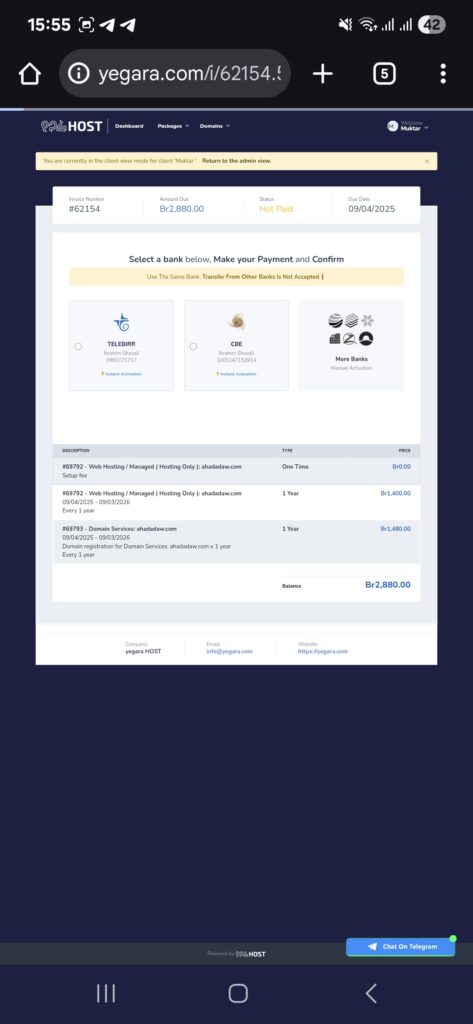
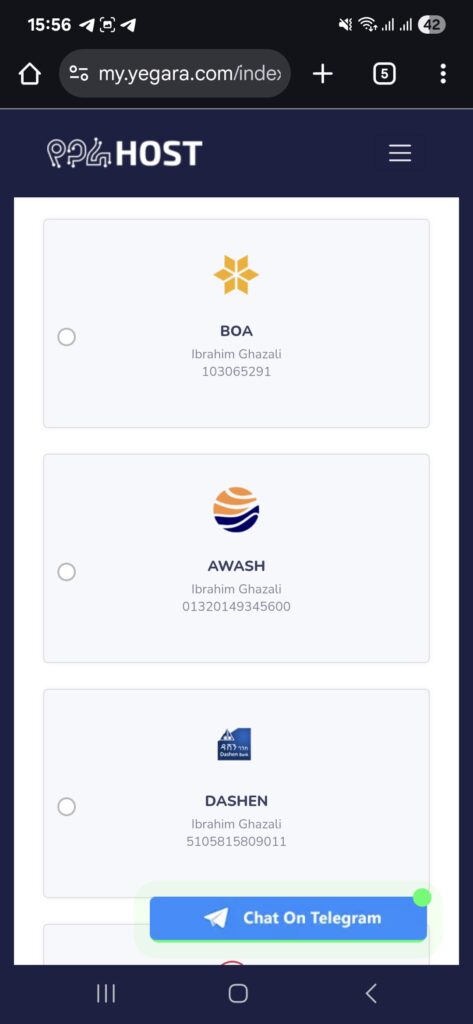
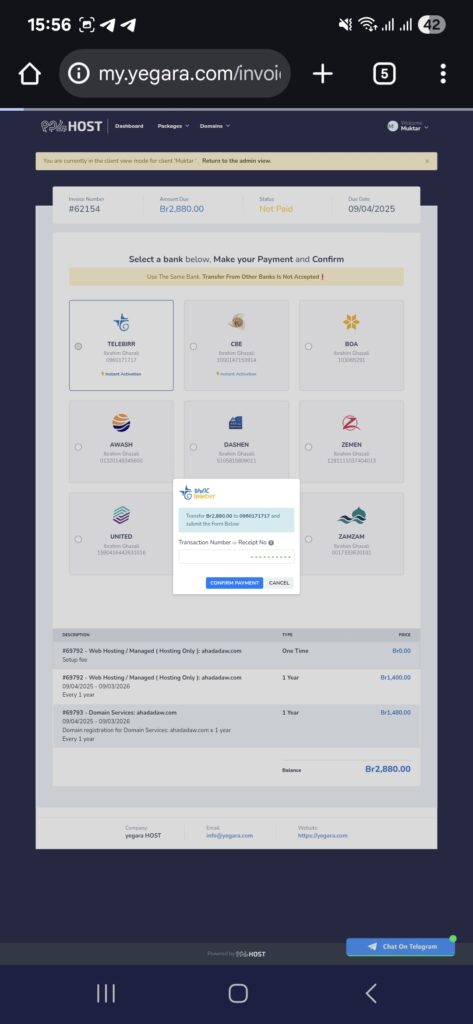
On the invoice page, under “Select a bank below, Make your Payment and Confirm”, choose Telebirr, CBE or More Banks. On a phone you may need to scroll down to see them.
- Telebirr and CBE are marked “Instant Activation”.
- More Banks is marked “Manual Activation”, so it takes longer.
Step 3: Make the payment
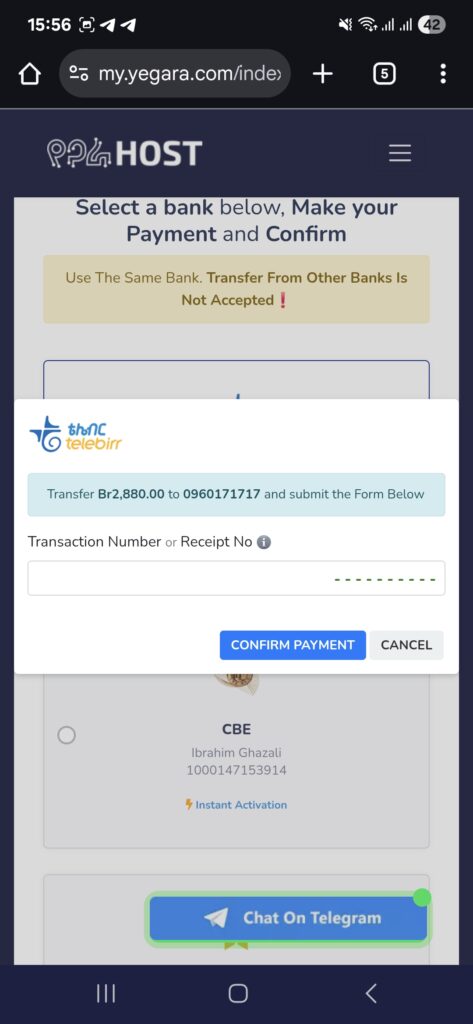
The option you choose shows the exact amount and the account or Telebirr number to pay. Open your Telebirr or bank app and pay that exact amount.
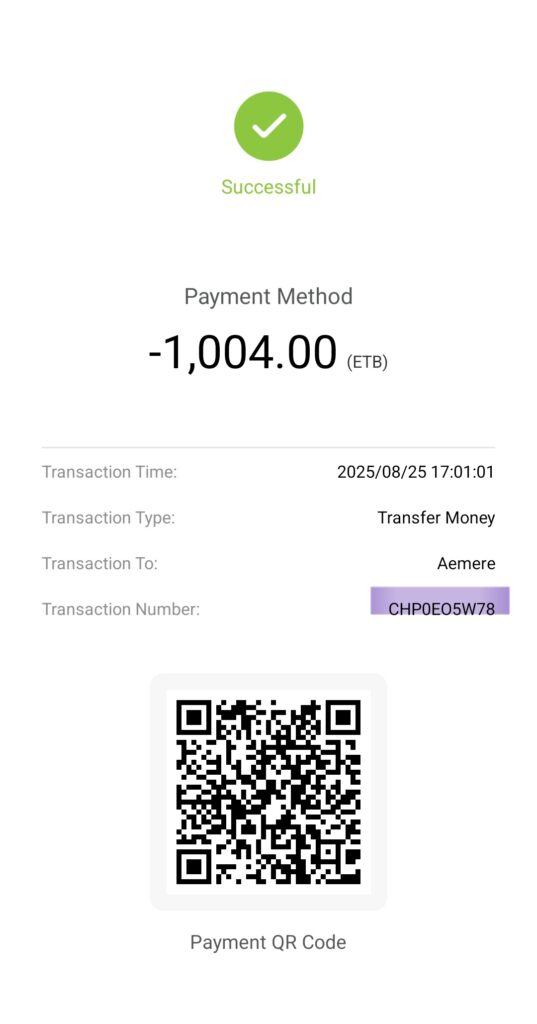
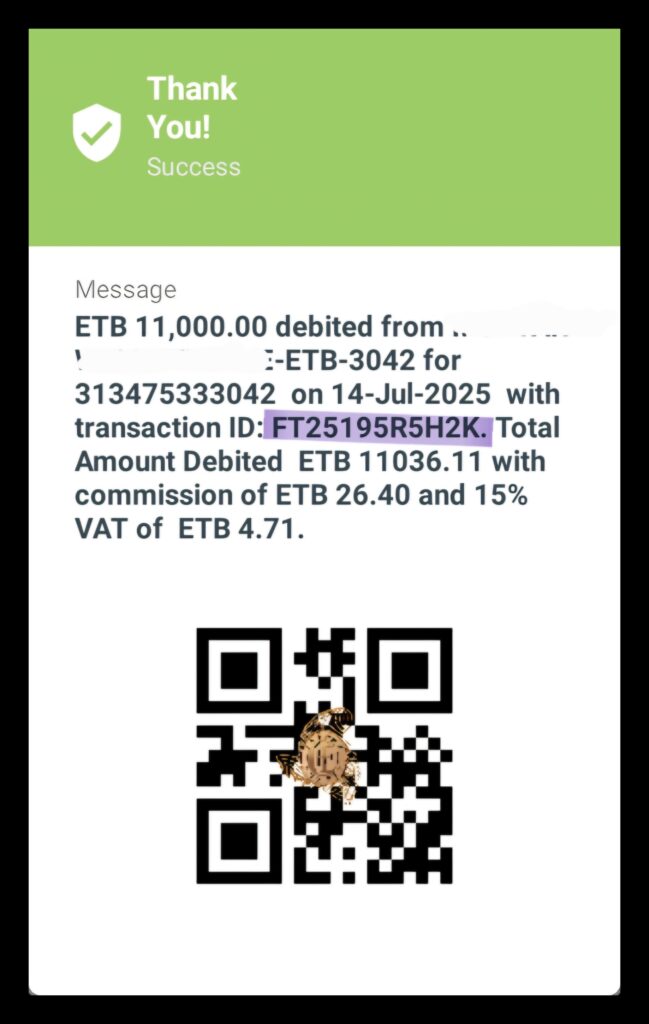
Step 4: Copy the transaction number
After paying, copy the transaction number from your receipt. In Telebirr it is labelled Transaction Number. For CBE it is the reference that starts with FT.
Step 5: Submit it on the invoice page
- Go back to the invoice page from the SMS or email.
- Click the bank or Telebirr option you paid to.
- Paste the number into “Transaction Number or Receipt No”.
- Click CONFIRM PAYMENT.
What happens next
- New orders: when the number is valid, the invoice is marked as paid automatically and your service is activated. Your account details arrive by email, usually within about 10 minutes, and a new domain is registered within about 15 minutes.
- Renewals: the page may say the payment will be approved within 24 hours. Once it is approved, allow up to an hour for a suspended service to come back.
- You do not need to send the receipt in chat after submitting the form.
Something went wrong?
If the form says the number is invalid, the link never arrived or the invoice still shows as pending, see Payment Confirmation Didn’t Work? Here Is What to Check.
