
With hosting on your domain you can have addresses such as [email protected]. On Standard hosting you create them in DirectAdmin. It takes about a minute for each mailbox.
Create the mailbox
Step 1. Log in to your DirectAdmin account.
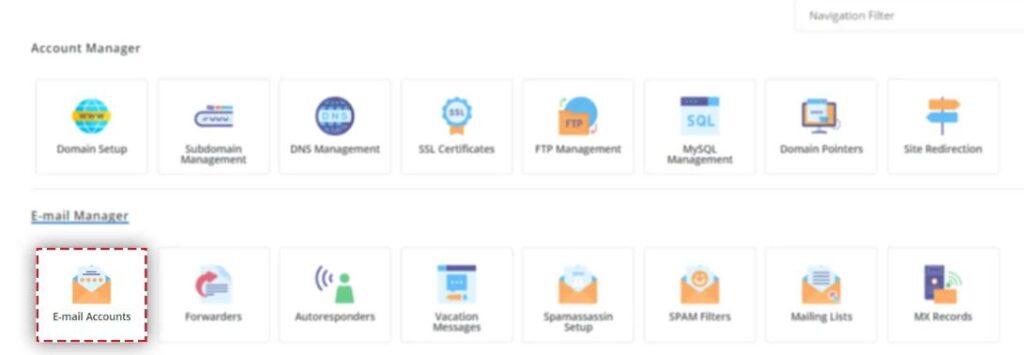
Step 2. Go to Email Manager, then Email Accounts.
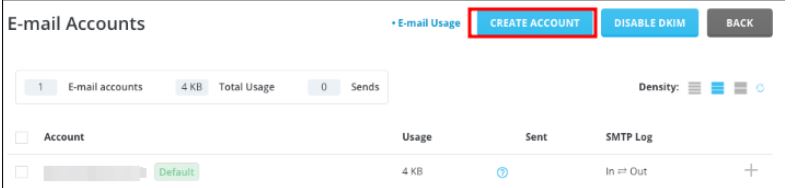
Step 3. Click Create Account.
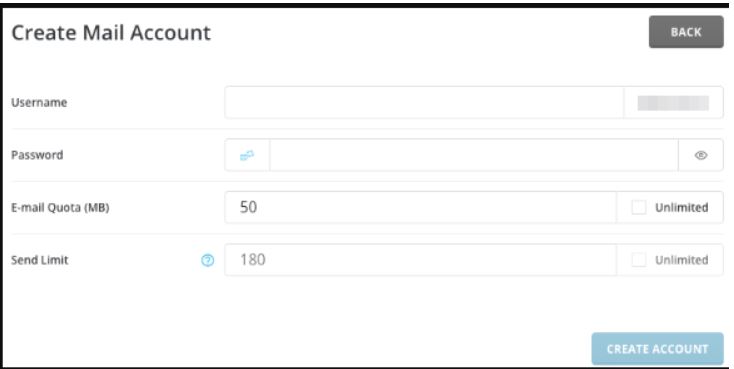
Step 4. Fill in the form:
- Username: the part before the @, for example
info. - Password: type a strong password, or let the panel generate one. Save it somewhere safe.
- Email quota: how much storage this mailbox may use. You can leave the default.
Then click Create Account.
Read and send email
Open yourdomain.com/webmail in your browser and log in with the full email address and the password you just set. Send a test message to another address and reply to it, to check that the mailbox sends and receives.
Next steps
- Add the mailbox to your phone or to Outlook: How to Set Up Your Email on a Phone or in Outlook.
- Turn on DKIM so your messages stay out of spam folders: How to Enable DKIM in DirectAdmin.
