
DKIM adds a digital signature to every email sent from your domain. Mail providers such as Gmail use it to check that a message really comes from you, so turning it on helps your email stay out of spam folders. In DirectAdmin it takes one click.
Enable DKIM
Step 1. Log in to your DirectAdmin control panel.
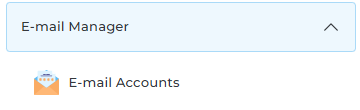
Step 2. Open the E-mail Accounts menu.
Step 3. Click Enable DKIM.
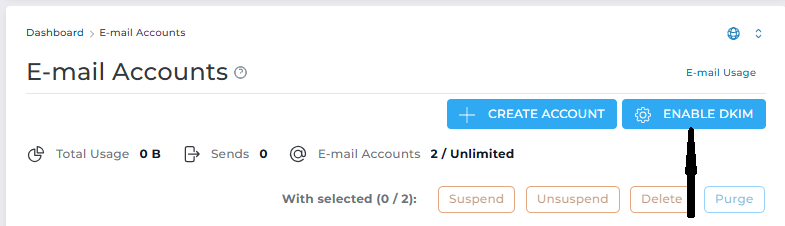
That is all. DirectAdmin creates the DKIM record for your domain and starts signing your outgoing email.
If your DNS is managed somewhere else
If your domain uses Cloudflare or another DNS provider, the record that DirectAdmin created is not visible to other mail servers. Open DNS Management in DirectAdmin, copy the DKIM TXT record, and add the same record at your DNS provider. See How to Manage DNS Records.
