
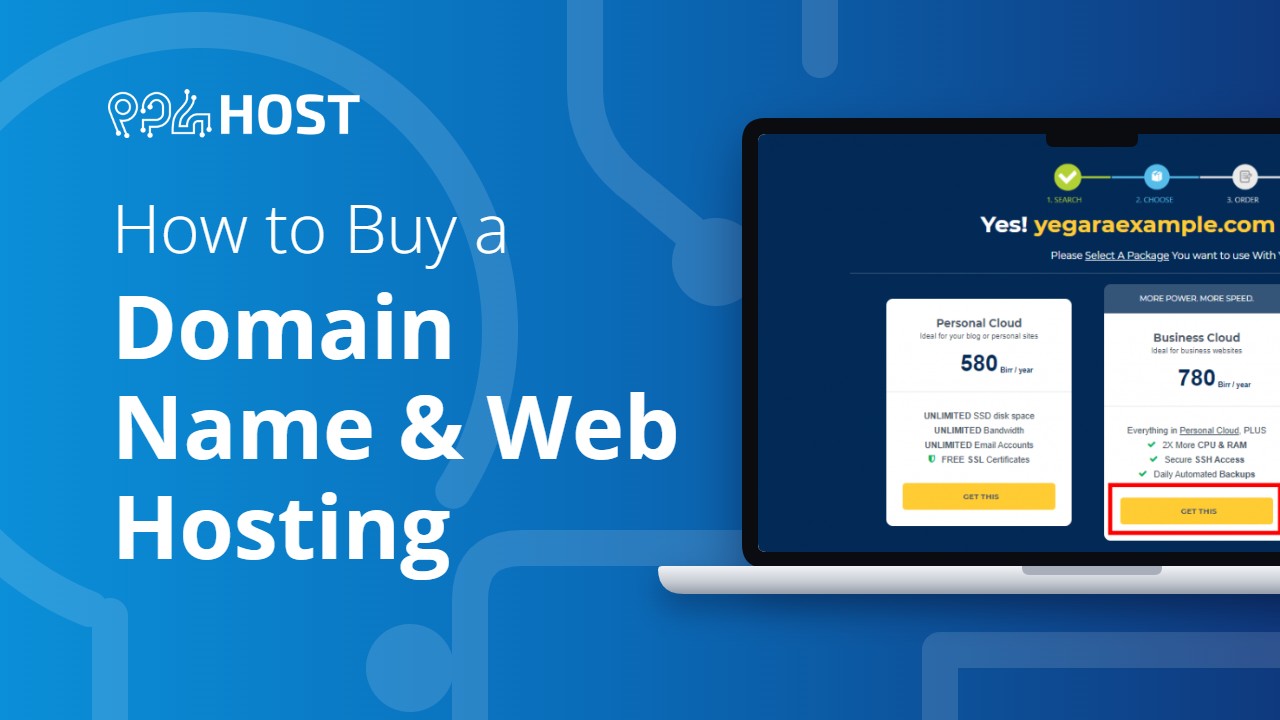
Ordering takes a few minutes. You do not need to create an account first: your Yegara account is created while you order.
On this page
Where to start
- Domain and hosting together: yegara.com/host. The steps below follow this order.
- Hosting for a domain you already own: also yegara.com/host, then choose “Use My Own Domain” in step 2.
- Domain only: yegara.com/domain. A domain-only order has no hosting, so there is no control panel and no place to upload a website.
- VPS: yegara.com/vps. Free .pro.et hosting: yegara.com/free.
- .et domain: registered at Ethio Telecom, not here. See How to Register a .et Domain Name.
Step 1: Choose a hosting plan
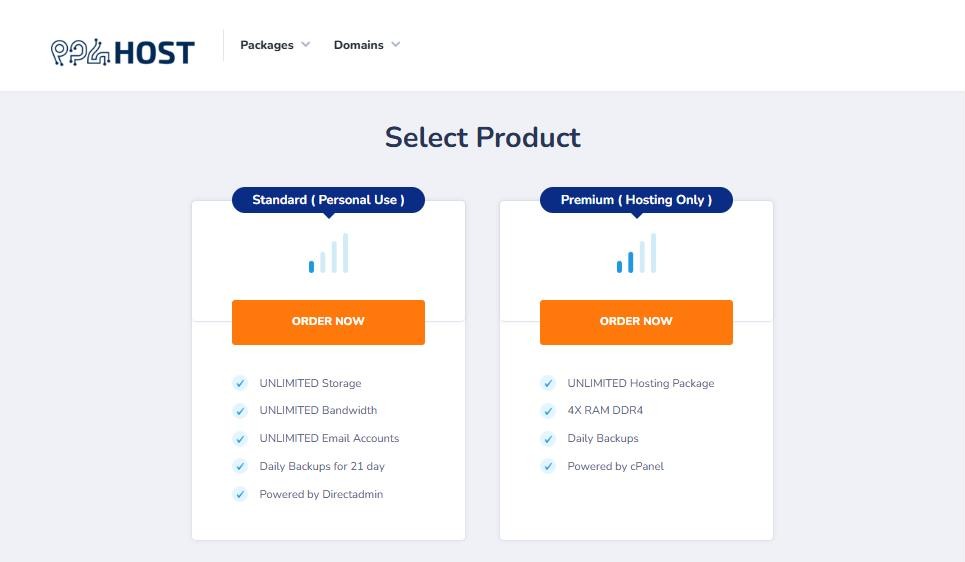
On the Select Product page, choose Standard (DirectAdmin) or Premium (cPanel) and click ORDER NOW. Not sure which one? See What Each Yegara Hosting Plan Can Run.
Step 2: Choose your domain name
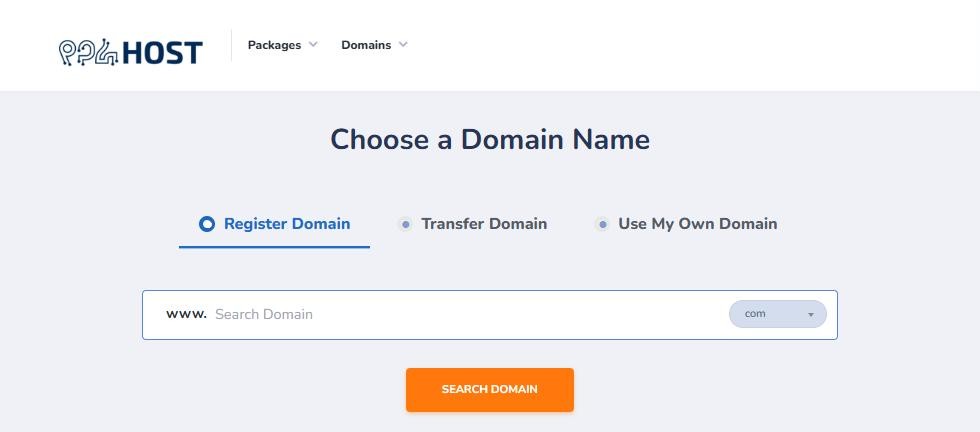
On the Choose a Domain Name page you have three options:
- Register Domain: type the name you want, pick the extension (.com, .net, .org and others) and click SEARCH DOMAIN. If the name is taken, try another one.
- Transfer Domain: move a domain you registered elsewhere to Yegara.
- Use My Own Domain: keep your domain where it is and only buy hosting for it.
📘 Check the spelling
A registered domain name cannot be renamed or swapped afterwards. Read the name once more before you continue.
Step 3: Enter your details
Fill in your name, phone number and email address. Your payment link and your login details are sent to this phone and email, so check them carefully. A mistyped email address is the most common reason the details never arrive.
Already a Yegara customer? Order as an existing customer by logging in, instead of entering your email as a new customer.
Step 4: Place your order
Check the order summary: the plan, the domain name and the total. Then place the order.
Step 5: Pay and confirm
You receive an SMS and an email with your invoice link. Pay by Telebirr or CBE and submit your transaction number on the invoice page. See How to Confirm Your Payment.
What happens next
Once your payment is confirmed, your hosting account is created and your login details are emailed to you. See After You Pay: Activation Time and Where Your Login Details Go.
Ordering from outside Ethiopia
The order pages only open from inside Ethiopia. If you are abroad, message us on Telegram with the domain and the plan you want, and we will place the order for you.
