

If you have used softaclous to install your new WordPress site and forgot to remove the default value in the directory field, your website would be installed in a subdirectory called “wp” instead of your main domain. this means you will have to go to your-domain.com/wp to access your website instead of your-domain.com
In order to fix this, you will have to Rename your website’s URL and move the content to the main directory. below I will show you how to.
STEP 1: Rename URL
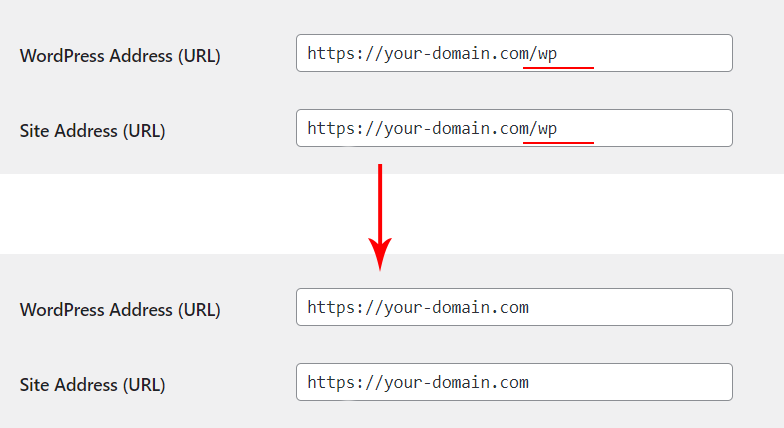
In your WordPress dashboard Go to Settings > General and remove the wp subdirectory from the end of the URL for both the WordPress Address and Site Address.
Be sure you dont have a trailing slace ( / ) at the end
Step 2: Move Your Files To the main Directory
Now you will need to MOVE all of the WordPress files from the wp subdirectory up one level to public_html folder .
- Login to your Cpanel and open the File Manager. Navigate to Public_html > wp Directory
- Click on “Select All”
- Click on “Move”
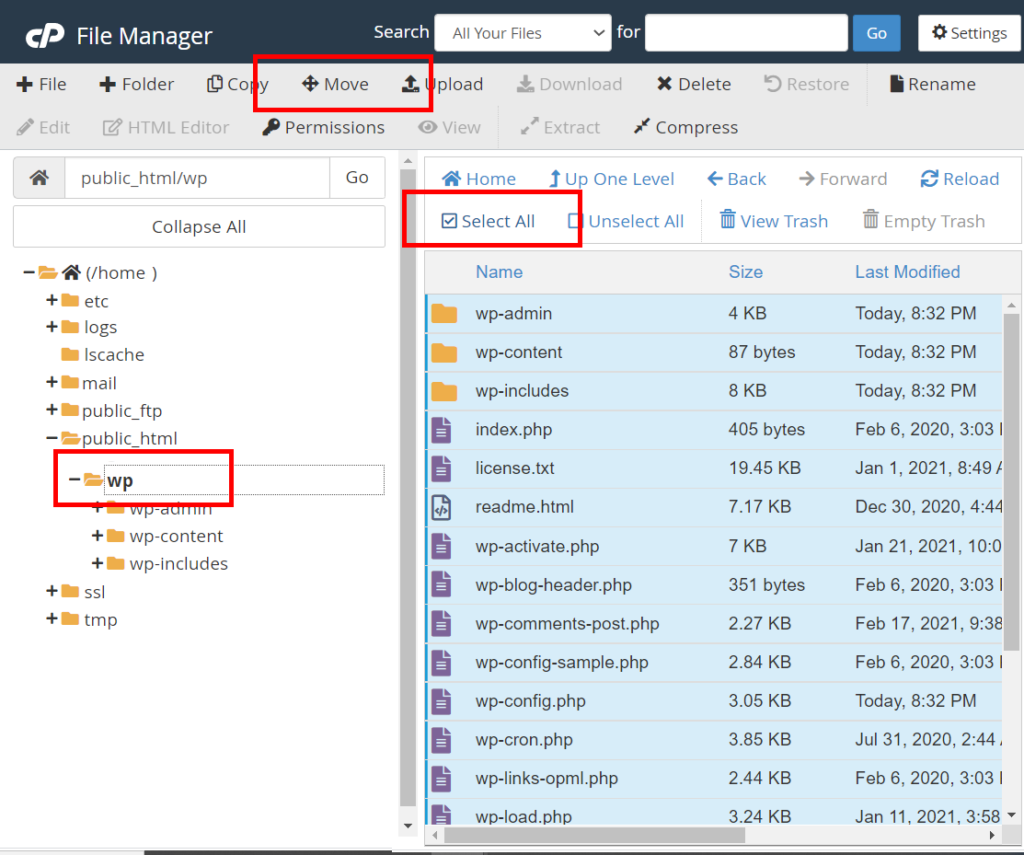
- Remove the “/wp” at the end of the directory field
- Click “Move File(s)”

Step 3: Resave Permalink Structure
Log in to WordPress by going to your-domain.com/wp-admin.
Go to Settings > Permalinks and click “Save Changes“. This will rewrite your .htaccess file to remove the subdirectory from the page URLs.
That is it, now you should be able to access your site Directly using your Domain name.
If you have any questions or need help getting your website secured, please feel free to reach out to our team!

Leave a Reply